
 ~5m34:15
Passive Chats vs Active Agents ⚡️ Intro To Agentic AI Automations (Tasklet AI)
Feb 6, 2026
Read: ~5m · You save: 29 min
Passive Chats vs Active Agents: Intro to Agentic AI Automations with Tasklet AI
Unlock the power of AI! Learn how Tasklet AI automates tedious tasks, builds apps, and streamlines your workflow. Discover active agents vs. passive chats.
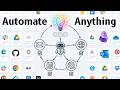
The landscape of AI-powered task management is evolving, moving beyond simple conversational interfaces to sophisticated, agentic automations. Tasklet AI, developed by the creators of Firebase, aims to democratize this advanced automation, making it accessible and functional for everyday users. Unlike passive chatbots, Tasklet's agents are designed to actively perform tasks, reason through complex problems, and integrate seamlessly with existing tools.
Understanding Agentic AI with Tasklet
Tasklet redefines the concept of a "chat" by framing each conversation as a dedicated agent. These agents are not merely information retrieval tools but specialized workers or orchestrators capable of complex operations. Examples include personal assistants that compile daily briefings from calendars and emails, customer support managers, or chief of staff functions that can audit subscriptions and cancel unused services.
The core components of Tasklet's automation framework are:
- Agents: These are the specialized AI workers, each designed for specific functions or to manage particular workflows.
- Connections: These allow agents to interact with a vast array of external applications and services. Tasklet supports thousands of pre-existing integrations, including Gmail, Google Drive, Stripe, Wave accounting, Notion, and GitHub. For developers, custom API connections are also possible.
- Triggers: These define when an agent should activate. Triggers can be scheduled (e.g., daily, weekly), event-based (e.g., new email arrival, webhook activation), or initiated by inter-agent communication.
Core Functionality: Connections, Triggers, and Execution
Connections serve as the tools an agent can utilize. For instance, the GitHub connection provides tools for repository management, code reading, and writing. Google Drive and Notion connections offer database and file access. The level of access granted to each connection is configurable, allowing users to control permissions for specific agents. Tasklet also supports custom API connections and custom Model Context Protocol (MCP) integrations.
Triggers enable agents to operate autonomously. Users can set up scheduled reports, automate workflows based on RSS feeds, or initiate actions when specific events occur, such as a new email arriving in Gmail. The platform allows for inter-agent communication, where one agent's output can trigger another's action.
The execution of these automations relies on Tasklet's underlying computational capabilities. This includes:
- Code and Shell Execution: Agents can operate within a secure sandbox environment, executing code in languages like Python, JavaScript, and HTML. This sandbox includes an SQL database for tracking operations.
- Virtual Computers (Pro Plan): For more advanced tasks, the Pro plan offers virtual computers that enable agents to navigate browser and desktop interfaces, mimicking human interaction with applications.
Practical Applications and Workflow Automation
Tasklet's utility is demonstrated through several practical examples:
Weekly Research Report Automation
A user can instruct Tasklet to audit their workflow and suggest automation opportunities. For instance, identifying a need for automated research on emerging technologies, Tasklet can be configured to:
- Monitor RSS feeds and the internet for relevant articles.
- Save curated articles to a specified location, such as Google Drive or Obsidian.
- Generate a weekly email report summarizing findings, including academic-quality sources and thematic analysis.
- Allow for user-defined preferences stored in a Google Drive file, which the agent can read to refine its research.
This process involves connecting to Google Drive for context management and email for report delivery. Tasklet can create starter documents, manage file permissions, and even update existing files based on user input. The automation can be scheduled to run weekly, with the output delivered directly to the user's inbox.
Accounting and Finance Automation
Tasklet can streamline financial administration by:
- Extracting receipts from emails (Gmail, Outlook).
- Scraping invoice data from web pages if direct PDF downloads are not available.
- Saving structured receipt data to Google Drive.
- Categorizing transactions and flagging those requiring attention.
- Generating monthly financial summaries.
While direct integration with some accounting software like Wave might require a Pro plan or specific configurations, Tasklet can create a centralized repository of financial data in Google Drive, linking to original invoices and transactions, thereby significantly reducing manual processing time.
Enhanced Coding and App Development
The code and shell execution sandbox, along with virtual computers, empowers Tasklet in software development:
- Autonomous App Building: Tasklet can write tens of thousands of lines of code, create and run tests to ensure functionality, and build entire applications within its sandbox.
- GitHub Integration: Agents can commit and push code to GitHub repositories, manage pull requests, and even debug themselves.
- Research Analysis: By integrating with existing research automations, Tasklet can push reports to GitHub, run analysis scripts (e.g., Python scripts for semantic analysis), and create ledgers of thematic similarity across multiple reports over time. This allows for tracking emerging trends and understanding the evolution of research topics.
Obsidian Integration
For users who prefer local knowledge management, Tasklet offers integration with Obsidian. Through tools like Enro, Tasklet can connect to an Obsidian vault, allowing it to read and write notes directly. This enables local workflows where Tasklet can update notes, respond to prompts, and interact with the user's knowledge base without requiring direct application access.
Privacy, Pricing, and Security
Tasklet offers a tiered pricing structure:
- Free Tier: Suitable for initial testing and exploration.
- Pro Tier: Introduces more advanced AI models (Sonnet 4.5) and the option to opt out of sharing chat data with the Tasklet team.
- Premier Plan: Includes access to the Opus model, a larger quota, and is the tier the presenter uses for extensive coding tasks.
- Max Plan: Offers "Genius Intelligence" for highly complex operations.
Regarding privacy and security, Tasklet emphasizes:
- Encryption: All data processed is encrypted.
- Isolated Execution: Operations occur within isolated execution environments.
- Data Usage: User data is not used to train third-party AI models.
- Opt-Out Options: Higher tiers allow users to opt out of sharing chat data with Tasklet for training purposes.
Users are encouraged to review the platform's privacy policy and terms of service.
Conclusion
Tasklet AI represents a significant step towards accessible agentic automation. By abstracting the complexity of AI agents, connections, and triggers, it empowers users to automate repetitive tasks, build custom workflows, and enhance productivity. The platform's ability to reason, integrate with diverse tools, and execute code within secure environments positions it as a powerful solution for both individual users and developers seeking to leverage the full potential of AI automation. The recommendation for new users is to start with simple automations, such as having Tasklet audit their workflow, and gradually build complexity as familiarity grows.
Introduction to Tasklet AI
Introduces Tasklet AI as a user-friendly automation tool built by the creators of Firebase, emphasizing its ability to handle complex tasks and edge cases that traditional tools struggle with. It highlights the ease of setting up AI agents, comparing it to texting a friend or setting up a Google Doc, and its seamless integration with various tools.
- Tasklet AI aims to make Agentic AI and automation accessible to everyone.
- It reasons through problems step-by-step and handles complexity and edge cases.
- Setting up an AI agent is as easy as texting a friend or setting up a Google Doc.
- Tasklet automatically connects to user's favorite tools to streamline workflows.
- It is described as both automation and flexibility.
Understanding Tasklet Agents
Explains the core concept of Tasklet agents, differentiating them from simple chatbots. Each conversation is a dedicated agent, acting as a specialized worker or orchestrator for tasks like personal assistance, customer support, or managing subscriptions. Examples include daily briefings, running customer support, and identifying unused subscriptions.
- Each conversation in Tasklet can be a dedicated agent, not just a chat history.
- Agents are specialized workers or orchestrators.
- Examples of agent roles: personal assistant, customer support, chief of staff.
- Agents can perform tasks like finding and canceling unused subscriptions.
- Agents can connect to databases and knowledge bases to draft content like LinkedIn posts.
Core Components: Connections, Triggers, and Execution
Details the fundamental building blocks of Tasklet: connections, triggers, and the underlying computer/sandbox environment. Connections allow agents to interact with thousands of apps (e.g., Gmail, Google Drive, Stripe, Obsidian), while triggers enable automated execution based on events like schedules, webhooks, or new emails. The sandbox environment allows code execution and virtual computer navigation for advanced tasks.
- Connections enable agents to interact with external applications and tools.
- Thousands of pre-existing app connections are available, including custom API options.
- Triggers allow agents to run automatically based on specific events (schedule, webhook, new email, text).
- Code and shell execution provides a sandbox for running Python, JavaScript, etc.
- The Pro plan offers virtual computers for browser and desktop interface navigation.
Example Automation: Weekly Research Report
Demonstrates a practical workflow by setting up a weekly research report automation. The process involves asking Tasklet to audit personal workflows, identifying automation opportunities (e.g., finding quality sources for emerging tech), and then configuring a Google Drive connection to manage research preferences and an email trigger for the weekly report.
- Tasklet can audit personal workflows to suggest automation opportunities.
- Example automation: generating a weekly research report on emerging technologies.
- Uses Google Drive for managing research preferences and context.
- Connects to email to send the generated report.
- The setup involves creating a Google Drive file, setting up a weekly trigger, and authorizing permissions.
Advanced Automations: Accounting, Coding, and Knowledge Management
Explores advanced automation scenarios, including extracting receipts from emails and syncing with accounting tools like Wave. It highlights Tasklet's flexibility in handling edge cases, such as scraping invoice data when direct downloads aren't available. The video also showcases integrating with GitHub for code analysis and Obsidian for local knowledge base management.
- Tasklet can automate accounting tasks, including receipt extraction and categorization.
- It can handle scenarios where direct invoice uploads are not possible by scraping web pages.
- Integrations with GitHub allow for code analysis and version control.
- Tasklet can connect to local knowledge bases like Obsidian via tools like Enro.
- The system allows for sequencing automations and building complex workflows.
Privacy, Pricing, and Quota Management
Discusses Tasklet's pricing tiers (Free, Pro, Premier, Max) and features, emphasizing the benefits of higher tiers for advanced intelligence (Sonnet, Opus) and increased quota. It also details privacy aspects, including encrypted data, isolated execution environments, and the option for Premier users to opt out of sharing chat data for training.
- Four pricing tiers are available: Free, Pro, Premier, and Max.
- Higher tiers offer access to more advanced AI models (Sonnet, Opus) and larger quotas.
- Data is encrypted and processed in isolated execution environments.
- Premier users can opt out of sharing chat data with the Tasklet team.
- Users are advised to review the privacy policy and terms of service.
Conclusion and Getting Started
Concludes by reiterating Tasklet's value as an agent manager that utilizes tools for the user, allowing for set-and-forget automations. It advises starting simple by auditing workflows and picking one automation, then gradually adding complexity and linking more tools. The video encourages experimentation to leverage Agentic AI for task automation.
- Tasklet acts as an agent manager that uses tools on behalf of the user.
- The key benefit is setting up automations once to run repeatedly.
- Recommendation: Start by auditing workflows and implementing one simple automation.
- Gradually link more tools and add complexity as familiarity grows.
- Encourages experimentation with Agentic AI to simplify life.