
 ~4m8:12
10Gb Ethernet on Mac Mini M4 – Thunderbolt SFP+ Adapter Test (Real NAS Speeds)
Feb 24, 2026
Read: ~4m · You save: 4 min
10Gb Ethernet on Mac Mini M4 – Thunderbolt SFP+ Adapter Test (Real NAS Speeds)
Can a Mac Mini M4 really move 200 GB in minutes? We test a Thunderbolt dual 10Gb SFP+ adapter over a real NAS: speeds, setup, heat, and price.
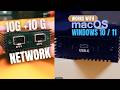
The author tested a Thunderbolt-to-dual-10GbE SFP+ adapter with a Mac mini M4 connected to a home NAS. The adapter delivered sustained transfer speeds close to the 10 Gb/s line rate. The test covered setup, bandwidth measurements, real-world file transfers, thermal behavior, and cost.
Background
The author upgraded the home network from 1 Gb/s Ethernet to 10 Gb/s. The previous PC was repurposed as a NAS. It stores footage, media, libraries, and backups. The author transfers hundreds of gigabytes at a time. On a gigabit network, large transfers took an hour or more. The goal was to complete large transfers in minutes.
The NAS runs Samba file server software. Its storage mixes:
- SATA SSDs
- NVMe SSDs
- A 4 TB hard drive that holds most of the archive data
The author expands storage as needed.
Adapter Specifications
The device is a USB4/Thunderbolt-to-dual-10GbE SFP+ network adapter with the following characteristics:
- Host interface: Thunderbolt 4 link at 40 Gb/s, confirmed in System Information
- Network ports: Two independent 10 Gb/s SFP+ ports
- Aggregate bandwidth: Up to 20 Gb/s
- Controller: Intel 82599ES, an enterprise-class 10 GbE chipset used in servers and data centers
- Construction: Aluminum housing that functions as a passive heat sink
- Drivers: Not required on macOS or Linux. Advanced networking features require driver installation, especially on Windows.
The author stated that the adapter can connect two separate NAS systems at the same time. This allows simultaneous transfers or direct transfers between the two NAS systems.
Setup Procedure
- Connect the Thunderbolt cable to the Mac.
- Insert the SFP+ modules.
- Connect fiber or direct-attach copper (DAC) cables.
- Connect the NAS or network switch.
macOS detected the adapter and the network interfaces automatically. The network interfaces were ready for use immediately.
Performance Testing
Synthetic Bandwidth
The author measured raw link throughput with iperf. This test shows the maximum network throughput. It does not reflect real workloads. The author used the results as a baseline only.
Real-World Transfers
| Test | Data | Result |
|---|---|---|
| Single large file (video) | 14 GB | Approximately 1 GB/s, constant |
| Final Cut Pro library (mixed files) | About 100 GB | 2 min 40 s, approximately 625 MB/s sustained |
| Gigabit Ethernet reference (single large file) | — | Maximum 110 MB/s |
The Final Cut Pro library included large video files, small database files, render cache, and thousands of small assets. The author reported that single large files approached the practical limit of 10 GbE. The author also reported that the single-file speed was almost 10 times faster than gigabit Ethernet.
Mixed-file transfers are slower than single large-file transfers. The author noted that sustaining 625 MB/s over SMB with mixed files represents strong real-world performance.
Summary of Results
- Large sequential transfers reach near-maximum 10 GbE speed.
- Complex production libraries sustain high throughput.
Cost
The author paid approximately 8,800 rupees for one unit, including shipping. The author described this as very reasonable for dual 10 GbE ports over Thunderbolt.
Thermal Behavior
At room temperature of 24 to 25 °C, the adapter's surface reached approximately 42 °C. The author stated that the device is too warm to hold comfortably for long periods. The adapter ran stably and maintained normal performance. The author stated that 42 °C is a normal surface temperature for 10 GbE hardware and that the device is designed to operate safely at this temperature.
Compatibility
- The adapter works with the Mac mini M4.
- The adapter also works with an M1 MacBook Air, according to the author.
Use Case Assessment
The author stated that this upgrade suits users who:
- Use a NAS
- Transfer large files regularly
- Operate a 10 GbE network
- Run a home lab
- Require maximum data transfer speed
The author stated that users with light workloads, such as web browsing, office work, or standard home networking, do not need this hardware.
The author stated that upgrading network speed is one of the largest performance improvements available to a user with an existing NAS. The author also stated that the Mac mini's 256 GB base storage is no longer the limiting factor, because the network now supplies data at a rate the Mac can use.
Planned Follow-Up
The author plans to test simultaneous transfers between two NAS systems, using ZimaBlade and ZimaBoard devices.
Introduction
The creator reports transferring 200 GB in minutes over a 10 Gb network to a NAS from a Mac Mini M4, and previews the dual 10 Gb Thunderbolt adapter setup, performance, heat, and cost.
- Transferred 200 GB in minutes over a real 10 Gb network connected to a NAS
- Device under test is a Mac Mini M4 purchased recently, not an enterprise server
- Adapter enables dual 10 Gb networking with up to 20 Gb/s total bandwidth via Thunderbolt
- Review covers setup, real speed tests, actual transfers, heat, and whether it is worth it
- The creator states the adapter's cost in the video
Background and Motivation
The creator upgraded the home network from 1 Gb to 10 Gb after retiring an old PC and turning it into a NAS that stores footage, media, libraries, and backups.
- Home network upgraded from 1 GB to 10 GB Ethernet
- Old PC retired and converted into a NAS storing footage, media, libraries, and backups
- Data transfers often reach hundreds of gigabytes; large gigabit transfers can take an hour or more
- NAS runs Samba (written as 'sambar') file server, not TrueNAS
- NAS storage mixes SATA SSDs, NVMe SSDs, and a 4 TB hard drive holding most archive data
Hardware and Setup
The adapter is a plug-and-play USB4/Thunderbolt to dual SFP+ device requiring no drivers on macOS or Linux. It provides a 40 Gb/s Thunderbolt link and two independent 10 Gb SFP+ ports, built around an Intel 8259 ES (likely 82599ES) enterprise controller.
- Device is a USB4/Thunderbolt to dual 10 Gb SFP+ network adapter
- Plug-and-play; no driver needed on macOS or Linux
- Requires a device with a Thunderbolt port, such as a MacBook or Mac Mini M4 (Thunderbolt 4)
- Provides a 40 Gb/s link to the Mac and two independent 10 Gb SFP+ ports
- Two NAS systems can be accessed simultaneously, or data moved between them
- Up to 20 Gb/s total network bandwidth on the Mac
- Uses an Intel 8259 ES controller, described as enterprise-class 10 Gb chipset used in servers and data centers
- Setup: connect Thunderbolt cable, insert SFP+ modules, connect fiber or DAC cables, then connect NAS or switch
- Thunderbolt link confirmed at 40 Gb/s in System Profiler
Performance Tests
Raw bandwidth was measured with iPerf (written as 'IPF'), then real transfers were tested. A 14 GB single-file copy averaged about 1 GB/s, and a 100 GB mixed Final Cut Pro library ran at about 625 MB/s sustained.
- Raw throughput tested with iPerf (written as 'IPF'), a synthetic test
- Single large file: 14 GB video copied at around 1 GB/s, constant
- Gigabit Ethernet maxed out at about 110 MB/s, so 10 Gb is almost 10 times faster
- Mixed workload: about 100 GB Final Cut Pro library (video, databases, render cache, tiny assets)
- Mixed library completed in 2 minutes 40 seconds, roughly 625 MB/s sustained over SMB
- Mixed transfers are normally slower than single large files
Price
The adapter cost about 8,800 rupees for a single unit including shipping, which the creator considers very reasonable for dual 10 Gb enterprise networking.
- Price: around 8,800 rupees for a single unit, including shipping
- Dual SFP+ ports provide 20 Gb/s of bandwidth for this price
- Creator argues time saved matters more than cost
Heat
The aluminum adapter acts as a passive heat sink and gets warm, reaching about 42 °C surface temperature at room temperature of 24 to 25 °C. It runs stably and is designed for such temperatures.
- Built entirely from aluminum, acting as a passive heat sink
- Surface reaches about 42 °C at room temperature of 24 to 25 °C
- Too hot to hold comfortably for long periods
- Runs stable and performs normally; design rated for such temperatures, typical for 10 Gb hardware
Additional Features and Compatibility
Advanced features need drivers, especially on Windows. The adapter also works on a MacBook (tested on an M1 MacBook Air). A dual NAS test with Zema Blade and Zema board is planned.
- Advanced networking features require drivers, especially on Windows
- Also works on a MacBook; tested on an M1 MacBook Air
- Planned follow-up: simultaneous transfers between two NAS systems using Zema Blade and Zema board
Who Should Buy It
The upgrade suits users with a NAS, frequent large-file transfers, a 10 Gb network, a home lab, or a need for maximum transfer speed. Standard web, office, or home use does not need it.
- Recommended for NAS users, frequent large transfers, 10 Gb networks, home labs, and maximum speed needs
- Not needed for web browsing, office work, or a standard home network
- Built for high-volume data workflows
- Internal hardware was inspected after opening the adapter; a teardown was offered as a future video