
 ~5m27:03
Важность таких сборок понимаешь только с возрастом
Oct 21, 2026
Read: ~5m · You save: 22 min
You Only Understand the Importance of Such Builds With Age
How to build a compact home NAS for six drives, choosing the case, power supply, motherboard and TrueNAS, and why file paranoia is justified.
The term "cloud" means someone else's computer, which can stop working at the most inconvenient moment. The question of preserving memories, texts, and data has been relevant since the emergence of humanity. People have used clay, stone, metal, wood, paper, glass, magnetic media, film, laser discs, and microchips to record information. Each of these methods has drawbacks and is inconvenient to use. Above all, sooner or later they all give way to time: storage media fail, decay, or become unreadable.
Hard Drive Failure
The author bought a hard drive in 2014. It had been released in 2011 and was acquired secondhand. At the time, its expected lifespan was estimated at about 10 years. At 22 years old, that lifespan seemed very long. However, ten years later the drive began to click, read errors appeared, and then it stopped being recognized by the system. This case showed how quickly time passes and how much unique data can accumulate over that time. The drive mostly held movies, so the loss was not critical.
By the time of the failure, the author already had a working solution for data protection, but now it no longer suited them.
Choosing a Ready-Made Network Storage Device
The author bought a six-bay network attached storage (NAS) unit from an elderly Briton named Malcolm for about 15,000 rubles. For six bays, that is a low price. The cost of ready-made solutions with two or four bays remains reasonable, but with more bays the price rises sharply. The reasons cited are corporate pricing policy, small production runs, and the cost of non-standard components, or a combination of these factors.
NAS (Network Attached Storage) is a storage device connected to a network.
The Netgear unit has a number of drawbacks:
- Support and production of storage devices have been discontinued. The company continues to produce networking equipment, but production of storage units has stopped.
- Google Drive synchronization has stopped working. The app that synchronized files with the service on a schedule or for a selected folder stopped working after Google changed its authentication method. The manufacturer does not plan to fix this problem.
- Risk of failure. The device may fail due to the power supply, capacitors on the board, cracked solder joints, or exhaustion of chip lifespan. Repair is difficult: you need to identify the fault and successfully eliminate it, or find a donor device, which becomes harder to find every year.
- Limited speed. Only a gigabit network card is installed, with no possibility of replacement. Maximum data transfer speed is about 100 MB/s. The six-disk array provides read speeds of about 1 GB/s, with write speed slightly lower. For current tasks, 100 MB/s is not enough: working with files directly from the storage, editing, and streaming video require higher throughput.
Originally, the goal was to consolidate data from various external drives, memory cards, and small hard drives in one place for secure long-term storage.
Why Not Modern Ready-Made Solutions
The author considered current ready-made solutions from Synology, Ugreen, QNAP, and Asus Storage. The models differ in specifications, operating systems, and port sets. However, any ready-made device becomes obsolete over time and faces the same problems: difficulty of upgrading and repair. Replacement is only possible with an identical model, which may be discontinued after a few years.
For the author, this meant repeating the same mistake. Therefore, the optimal solution was a custom storage system that can be:
- upgraded at any time;
- repaired by replacing individual components when they fail;
- expanded or reduced as needed;
- used independently of any brand and its products, for example, when changing the operating system, changing the product line, or discontinuing production.
In addition to reliability and flexibility, the author wanted a compact device. Achieving this turned out to be more difficult than expected.
Important Warning: Backup
A network-attached storage device, whether from a manufacturer or self-built, depending on its configuration, protects against the failure of one or more drives (up to half of those installed), as well as against accidental file deletion. However, it does not protect against loss of the device itself: fire, flooding, power surges, theft, or wear and tear.
For the most important and unique data, including photos, notes, and documents, it is necessary to create copies in another location. Even a flash drive or an external hard drive kept at a relative's home will do. Not all data will fit on another medium, so for the most valuable information, it is recommended to create at least one additional copy, and preferably two.
Cloud services also do not guarantee absolute reliability. The provider creates backup copies and several instances of the uploaded data; however, access to them may be lost at any time due to restrictions, infrastructure failure, or the company's bankruptcy. In addition, any storage device has a limited service life, and failure may occur before that time.
Building a Custom Storage Server
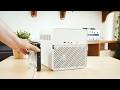
Case: Jonsbo N2
The case determines the convenience of the system and where it can be placed. For home use, a full-size rack and a standard tower PC were not suitable. A compact option was needed that could sit on a shelf or a bedside table. There are few such solutions. Jonsbo specializes in NAS cases, and the author chose the N2 model.
The Jonsbo N2 is the most compact case that holds five hard drives and one SSD. Its design is two-chamber:
- The lower section houses the drive bay with a robust backplane, which simplifies installation and cable routing;
- The upper section is intended for the remaining hardware.
The case dimensions are only slightly larger than the stack of drives it holds. Side cutouts provide access to ports and cables, so assembly is convenient despite the small size. The drives are mounted not in caddies but on rubber washers and rubber handles. This reduces vibration and is convenient for maintenance and replacement, although it falls short of server caddies in terms of feel during operation.
Power Supply: Silverstone ST30 300 W
A compact case requires an SFX-format power supply. The author chose a 300 W Silverstone model. Compact SFX units from Corsair start at 700 W, which is excessive for this system.
Power consumption calculation:
- A hard drive in idle mode consumes several watts.
- During active reading and writing, it consumes 5–8 W.
- During spin-up, consumption reaches 25–30 W, but only briefly.
- For five drives in operating mode, about 50 W is required, including the processor, fans, and possibly a network card.
- For peak load at startup, about 120–150 W is required.
The ST30 is an older model, but a proven one. It has performed well specifically in file server builds. The unit is known for its reliability and good ripple characteristics. The cost is approximately 5,000 rubles. The price is approximate, since the order was placed on Amazon and the conversion was calculated at the exchange rate for October 26.
The older power supply format also has an advantage: the presence of Molex connectors. Two such connectors are required to power the drives through the backplane. This is more convenient than connecting each drive with a separate power cable. In a compact case, this is especially important, because extra wires obstruct airflow, and there is nowhere to hide them. There is a small pocket in front of the power supply, and about half a centimeter of free space under the motherboard. The classic way to power the drives through this unit provides only three connectors, which may not be enough.
SATA Cables
To simplify cable routing, the author purchased a set of thin SATA cables. For the equivalent of about 1,000 rubles, six numbered cables were provided. They bend easily, are convenient to arrange, and do not create resistance due to thick rubber sheathing. Behind the cables is a fan that pushes air through the drives. This area is especially important, and the more unobstructed it is, the better. According to the author's assessment, the case is adequately ventilated under these conditions.
CPU Cooler: Thermalright AXP90
The cooler is available in three heights: 36, 47, and 53 mm. The case is designed for coolers up to 65 mm high, but the author chose the middle option to avoid risk. The 36 mm version seemed insufficient, while 47 mm was optimal, especially since the model features heat pipes. The cost is about 2,000 rubles.
Motherboard
The case supports Mini-ITX boards and smaller. More compact formats are rare, so the author did not consider them.
Mini-ITX boards generally have few ports. Typically, no more than four SATA connectors are supported. The exception is CWWK boards with soldered processors and six SATA ports, but their cost is 30,000–40,000 rubles.
For sockets 1700 and AM4, compact boards cost the same, which means paying nearly twice as much for compactness. Micro-ATX boards cost 5,000–6,000 rubles, while Mini-ITX boards cost about 10,000 rubles. The selection of models is limited.
Among Intel processors, the available options are a dual-core Pentium, Celeron, or Core i3-12100. The latter costs 6,000–8,000 rubles used and about 12,000 rubles new.
The author chose the AM4 platform because a processor was already available. Originally, the plan was to buy a Ryzen 3400G for about 2,000 rubles, but the deal did not go through. Therefore, a Ryzen 5 3600 was used. For a file server, it is overkill and less convenient without integrated graphics (iGPU), although graphics are required only for the initial boot.
The advantage of a custom build is the ability to change hardware not only when something breaks but also to suit specific tasks. The system can be moved to a larger case or have its motherboard and entire platform replaced without downtime.
DDR5 platforms were not considered due to memory cost. A single DDR5 module would cost more than the motherboard, processor, and DDR4 memory combined. The author temporarily took some memory from his main work computer. Currently, both machines have 32 GB of DDR4 installed each. Modules of 8 or 16 GB for additional capacity have not yet been found at a good price.
Drive Connection: ASM1166 Adapter
The system SSD connects directly to a SATA port on the motherboard. The remaining drives connect through an adapter that installs in an M.2 slot and provides six SATA ports. Such adapters are sold on marketplaces, in computer stores, and on AliExpress.
There are variants with five ports, but they use a JMicron controller. The six-port adapter is built on the ASM1166 controller, which is considered higher quality. Its bandwidth is sufficient for six drives: each receives a dedicated SATA lane without sharing or throttling.
Adapters with eight or more ports also exist, but they rely on channel switching, which the author does not recommend. Similar adapters install in a PCI Express slot, but that slot will be needed for a future network card.
The adapter costs about 2,000–3,000 rubles. The author considers it an essential component for compact file servers.
Final Configuration
| Component | Model | Approximate Cost |
|---|---|---|
| Case | Jonsbo N2 | — |
| Power supply | Silverstone ST30, 300 W, SFX | approx. 5,000 RUB |
| CPU cooler | Thermalright AXP90, 47 mm | approx. 2,000 RUB |
| Motherboard | Mini-ITX, AM4 | approx. 10,000 RUB (Mini format) |
| Processor | AMD Ryzen 5 3600 | — |
| RAM | DDR4, 32 GB | — |
| SATA adapter | ASM1166, six ports, M.2 | 2,000–3,000 RUB |
| SATA cables | Thin set, six cables | approx. 1,000 RUB |
The cost of the motherboard and processor is given in the text above. The processor and memory were reused.
Operating System and File System
Why Not Windows
Windows can be installed, but the author considers it a poor choice for several reasons. To check this, leave a home computer running for a week and see how many times it restarts or updates during that time.
The NTFS file system used by Windows is not designed for a file server. Such systems have two interrelated priorities:
- Reliability. The system must run stably, not perform actions without the user's request, and operate continuously for months or years.
- Data integrity. The system tracks changes, which makes it possible to restore not only a deleted file but also its previous version.
Examples of use: a user accidentally changed the original document instead of a copy. It can be rolled back. A user changed the order of folders or moved files and wants to return to the previous version. This is also possible. Rollback applies to the needed part of the data, not to the entire storage. The feature works regardless of the device used for the action: a tablet, phone, desktop computer, or laptop. No special settings or drivers are required, since the feature is built into the file system itself.
The frequency of change tracking can be configured. For an office or development environment, rollback to 10 minutes or an hour may be needed. The author set the check to once a day. This makes it possible to restore a file version from yesterday or the day before, with a retention depth of up to two weeks.
A checksum is automatically created for each file. This is a number that reflects the overall value of all its ones and zeros. If data becomes corrupted during copying or long-term storage (for example, a one turns into a zero), the checksum stops matching. The system detects the error and corrects it automatically. In Windows, such a file would become unreadable.
There are about a dozen other useful features of this kind. However, they require a certain file system that supports these capabilities. The most common of them are EXT4, ZFS, and BTRFS. Such file systems are incompatible with hard drives formatted for Windows. This means a disk from an ordinary computer cannot simply be connected to such a storage device.
Working with Windows is still possible. The limitation applies only to directly transferring drives. After setup, the storage accepts files from any device: Windows, Linux, Mac OS, iPhone, iPad, Android, and Symbian. When connected via Ethernet or Wi-Fi, a device sees the storage as one large folder or several subfolders. The structure depends on the settings. For a device or program, it does not matter where a file is located: in internal memory or on the server. For example, in Photoshop you can select a photo from the server, open it, and edit it, and you can select and watch a movie.
The reverse procedure is also limited. Drives cannot be removed from the storage device, connected to a computer, and used right away. This is precisely why the author was concerned about the possible failure of the previous storage device: such a replacement does not always work even within a single model. Different models from the same brand may use different file systems because they run on different operating systems. Sometimes they are based on processors of different architectures: ARM and Intel. Therefore, the author wanted a brand-independent solution in which drives can be freely moved.
Choosing an Operating System
Three systems are the most popular for such tasks: Unraid, TrueNAS, and OpenMediaVault. All of them are based on Linux, as are most operating systems for ready-made solutions. The difference lies in the level of refinement and pre-configuration. These three systems were created and adapted specifically for file servers.
| Parameter | Unraid | OpenMediaVault | TrueNAS |
|---|---|---|---|
| License | Paid, price depends on the number of drives | Free | Free version without limits on features, number of drives, or their capacity; a paid enterprise version is available |
| Years in existence | — | Since 2011 | Since 2005 |
| File systems | — | Several to choose from | ZFS only |
| Features | The license key is tied to the system drive; if it is lost, key recovery is difficult | Simple and undemanding system; the application installation module must be installed separately | Virtual machine support in the enterprise version, FIPS-certified encryption, compliance with NIST 800-209 |
Unraid. The system is popular, but the author rejected it because the license key is tied to the system drive. If this drive fails or is lost, recovering the key is difficult. This option did not meet the author's reliability requirements.
OpenMediaVault. The system is simple and free. When creating a disk array, you can choose a convenient file system, as several options are supported. The author considered it first but found it too simple. In addition, the module for installing programs and applications is treated as an add-on that must also be installed separately. This is not difficult, but it is not exactly a simple solution either. As file storage, the system works well.
TrueNAS. The system appeared in 2005. The enterprise version supports virtual machines, FIPS-certified encryption, and complies with NIST 800-209. The free version has no limits on features, number of drives, or their capacity. The interface is more modern, and applications install in one or two clicks. TrueNAS works only with the ZFS file system.
The key advantage of TrueNAS is the portability of its drives. An array of drives forms a single system and can be connected to any computer that works with ZFS. This includes any Linux system or another TrueNAS storage device. The file structure is recognized automatically. The order in which drives are connected and the port number on the motherboard do not matter. For the author, this was the decisive factor.
The enterprise version also influenced the choice. If the system can handle the tasks of large companies, it can handle home tasks as well.
TrueNAS also has drawbacks. The system was created primarily for companies and for work in a server rack. Because of this, there are several non-obvious aspects, such as the logic of user permissions. However, this is not difficult or critical.
Another drawback is that TrueNAS does not recognize external hard drives connected via USB, at least with NTFS or FAT32 file systems. In this respect, ready-made solutions are simpler. Manufacturers also differ from one another, but most strive to simplify operation to a "one-button" mode. Many ready-made devices have USB ports and even card readers. An external drive connects and appears as a new folder. At a minimum, the device can read it, and in many cases it can also write to it.
The author considers connecting an external drive directly to the storage device an uncommon task, but it came up more often than connecting a drive to a router. The author has never connected drives to a router, and connected one to the storage device only once, when uploading files.
Data Migration
The ideal option would have been to move to new high-capacity drives, with the data transferred over the network from the old drive to the new one. However, hard drice prices are currently very high, so this option is not available.
The author had four 10 TB drives, or 40 TB in total. The array provides 30 TB of usable space, and the remaining 10 TB is reserved for protection. The system sees them as one large drive, although they are physically four separate drives. If any one of the four drives fails, the data will not be lost.
By the time of the migration, more than 20 TB was in use. The six-bay storage unit had been purchased with the intention of adding drives later. At the time, 10 TB seemed like a large capacity, but drives of 20, 25, and 30 TB are now available. Their prices, however, are very high.
Friends lent the author a 16 TB drive for a few days. It was used as an intermediate storage device. The amount of data had to be reduced to 14 TB by deleting unnecessary files. The drive was connected via USB to the previous NAS. All the equipment was powered through an uninterruptible power supply. The data was copied with a synchronization program that verified file integrity during the copying process. This made it possible to resume the transfer after a power outage. Copying in one direction took about 36 hours. The data was then transferred to the new drive.
A direct network connection would have avoided this procedure. However, the network card of the previous storage unit was gigabit and could not be upgraded. The new system has a gigabit network card built into the motherboard. Therefore, a free PCI Express slot is needed, since the author plans to install a faster network card in the future. The author is currently deciding which option to choose: 10 Gbit/s, 5 Gbit/s, or the simpler 2.5 Gbit/s.
The data was transferred back using a different method. The drive was connected via USB to a computer running Windows, and the files were then copied to the new storage unit over the network.
Management and Setup
The system has no provision for a graphics card. A small card, such as a GT 1030, can be installed for display output only. The system is also suitable for a home theater. However, a graphics card is not needed to manage the storage: all settings are made over the network through a browser.
The exception is the initial setup. In the BIOS, the boot drive is selected and the speeds of the CPU cooler and case fans are adjusted. The author had to temporarily connect a graphics card for this. The most compact of the available cards, the GTX 1050 Ti, did not fit in the case. It would have been more convenient to use the processor's integrated graphics. However, this procedure is only required once.
Thermal Behavior, Noise and Power Consumption
The highest consumption is recorded at startup, when the disks spin up. The peak value reached 97 W. In idle mode, the system consumes about 50 W. The author attributes this level of consumption mainly to the processor. During copying, the figure was 60–70 W.
During the transfer of 14 TB of data, the cables and adapters operated without failures: no dropouts, delays, or errors were recorded.
CPU load ranged from 1 to 3%, and CPU temperature was 30–40 °C. Under load, the disks heated up to roughly the same level: 36–41 °C. The outermost disk heated up less, since there is more free space around it.
Noise comes mainly from the disks: their clicks are louder than the fans. The power supply runs quietly, although its small fan could be noisy given its Bronze certification and compact size.
Conclusions
For a first network storage device, a ready-made solution will be more convenient. A self-built assembly is justified if you have experience building several systems and the ability to reinstall Windows without outside help. If the storage capacity is measured in tens of terabytes, such a volume is not surprising and requires an appropriate approach.
A self-built system with 5–8 bays, not including the cost of drives, will cost approximately 30,000 rubles. A comparable ready-made solution costs around 100,000 rubles or more. The author notes that both approaches have advantages and disadvantages. The choice depends on preferences, circumstances, and the level of concern about data safety.
Introduction: File Paranoia and Hard Drive Failure
Data storage has always been a problem, because any storage medium eventually fails over time. A hard drive bought in 2014 and released in 2011 unexpectedly died, and the memories on it were lost along with it.
- The author bought a hard drive in 2014; it was released in 2011 and was used
- The drive started making squeaking noises, developed read errors, and then stopped being detected
- The author expected the drive to last about 10 years, but it wore out earlier
- Humanity has tried clay, stone, metal, wood, paper, glass, magnetic media, film, lasers, and microchips
Old Solution: Six-Bay NAS
The author bought a used six-bay NAS enclosure for about 15,000 rubles, but the device has significant drawbacks: it has been discontinued, its network can't be upgraded, and there is a risk of failure.
- The six-bay enclosure was bought for about 15,000 rubles from a Briton named Malcolm
- The manufacturer, Netgear, stopped producing network storage devices, but the company continues to make network equipment
- Synchronization with Google Drive stopped working due to a change in Google's authentication method
- The network card is only gigabit and cannot be replaced, with a maximum speed of about 100 MB/s
- The power supply, capacitors, solder joints, or chips may fail, and finding a donor device is becoming more difficult
Why the Self-Built Option Was Chosen
The author rejected ready-made solutions because they also become outdated, and chose a self-built system that can be upgraded and is not tied to a brand.
- Synology, Ugreen, QNAP, and Asus Storage were considered, but all of them become outdated over time
- Flexibility, reliability, and compactness of the device were required
- A network storage device protects against failure of some disks or accidental deletion, but not against loss of the device itself (fire, flooding, theft, power surges)
- Important data is recommended to be stored in at least two copies in different locations
Component Selection: Case, Power Supply, and Platform
The author chose the compact Jonsbo N2 case for five HDDs and one SSD, a Silverstone ST30 300 W power supply, and an AM4 motherboard with a Ryzen 5 3600 processor.
- Jonsbo N2 case: five hard drives and one SSD, two-chamber design, backplane at the bottom
- Silverstone ST30 SFX power supply, 300 W, costs about 5,000 rubles, chosen because it has Molex connectors
- Two Molex connectors are needed to power the drives through the backplane, while classic drive connectors are limited to three
- Power consumption: about 50 W at idle, 97 W at startup, 60–70 W during copying
- Thermalright AXP90 cooler, 47 mm high, about 2,000 rubles
- Mini-ITX motherboard with a Ryzen 5 3600 instead of Intel, since DDR5 is too expensive, 32 GB of DDR4 memory
Drive Connection and Cables
To connect six drives, the author uses an M.2 adapter with an ASM1166 controller, since it provides full bandwidth to each SATA port.
- The adapter plugs into an M.2 slot and provides six SATA ports, costing about 2,000–3,000 rubles
- The ASM1166 controller is considered the best choice, while the five-port JMicron is inferior to it
- Adapters with eight or more ports are not recommended because of channel switching
- The system SSD connects directly to a SATA port on the motherboard
- Thin, numbered SATA cables costing about 1,000 rubles are used for wiring
- Drives are mounted on rubber washers and handles rather than server-style sleds
Software part: choice of operating system
The file server uses TrueNAS on the ZFS file system. It provides reliability, data integrity control, and portability of arrays between devices.
- The ZFS, EXT4, and BTRFS file systems support checksum control and rollback of file versions
- A checksum is created for each file on the fly, and corrupted data is repaired automatically
- The author set up change checks once a day with a version retention depth of up to two weeks
- Unraid is paid, and its license key is tied to the system disk, which does not suit the author
- OpenMediaVault has been free since 2011, but seemed too simple
- TrueNAS has existed since 2005; its free version has no limits on features or number of disks, and it works only with ZFS
- A ZFS array can be connected to any system with ZFS regardless of disk order or ports
- TrueNAS does not recognize external USB drives with NTFS and FAT32
Data Migration and Testing Results
Data migration went through a borrowed 16 TB drive, and the current array consists of four 10 TB drives, where 30 TB are available and 10 TB are reserved. Measurements showed stable device operation.
- Current array: four 10 TB drives, 30 TB available, 10 TB reserved
- Borrowed 16 TB drive was connected via USB to the previous NAS, data compressed to 14 TB
- Transfer took about 36 hours one way, with UPS and integrity verification
- Files were moved from the USB drive to a Windows PC and then over the network to the new device
- Motherboard network card is gigabit; plans to install a 2.5, 5, or 10 Gbit/s card via a free PCI-E slot
- CPU temperature 30–40 °C, load 1–3%, drives heat up to 36–41 °C
- Noise mainly comes from drive clicking; power supply is silent
Conclusions and Recommendations
Self-building a NAS is more cost-effective than buying a ready-made solution if you have experience with systems and several drives. For beginners, a ready-made device is the better choice.
- A build with 5–8 drives costs about 30,000 rubles without including the drives
- A comparable ready-made solution costs 100,000 rubles or more
- Beginners are advised to choose a ready-made solution, while experienced users should build their own