
 ~5m11:42
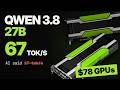
Qwen 3.8 27B at 67 tok/s on Two $78 Nvidia Tesla P100s
Oct 29, 2026
Read: ~5m · You save: 7 min
Qwen 3.8 27B at 67 tok/s on Two $78 Nvidia Tesla P100s
Can two $78 server GPUs beat AI predictions and run a 27B model at 67 tokens per second? Here is the full build, fixes, and recipe.
Alibaba released Qwen 3.8 27B, a model small enough to run on local hardware. The makers reported that it outperformed Claude Opus on 16 of 24 benchmarks. A test of that claim on consumer hardware was not feasible with the author's existing setup. This article describes a build that ran the model at 67 tokens per second on two used Nvidia Tesla P100 graphics cards purchased for $156 in total. The author did not verify all 24 benchmarks.
Goal and Constraints
A model must fit into a graphics card's video memory (VRAM). If it does not fit, it spills into system RAM and slows substantially. The author's card had 8 GB of VRAM. The target model required about four times that amount.
The author chose the Quant 6 version of the model. Quantization reduces model size by lowering numerical precision. Lower quantization levels (such as Quant 4) compress the model more and reduce output quality more. Quant 6 requires about 32 GB of VRAM for a 27B model.
The performance goal was 30 tokens per second. This speed roughly matches human reading speed.
Hardware Selection
Online guides recommended the Nvidia RTX 3090, which sold for about $1,400 used. The author instead sourced Nvidia Tesla P100 cards from data center surplus. Companies replace server cards every few years, and retired units are often resold at low prices.
The Tesla P100 was released in 2016 and uses the Pascal architecture. Each card has:
- 16 GB of high-bandwidth memory (HBM), stacked next to the chip
- A price of $78
Two cards provide 32 GB of VRAM, which matched the requirement. The pair cost roughly one-ninth the price of a single RTX 3090.
ChatGPT predicted 17 tokens per second for this setup. Claude predicted 17 to 19 tokens per second. The author rejected these predictions after a review of community development work, described below.
Setup Problems and Fixes
The author encountered three problems during setup.
Problem 1: Black Screen at Boot
The cards were installed in a Dell Precision T5810 workstation. The system produced no display output.
Each P100 requests 16 GB of address space. The system's older BIOS could not allocate that amount.
Fix: Flash the cards into graphics mode.
- Tool: Nvidia NVFlash
- Setting:
GPU mode graphics - Back up the original firmware before flashing.
- The flash disables ECC (error-correcting code) memory checking. Re-enable ECC after flashing.
After flashing, the address space requirement dropped to 256 MB. The first reboot required three power cycles before the display output appeared. The system recovered without further intervention.
Problem 2: Power Supply Capacity
Each card draws up to 250 W. The workstation's power supply could not supply both cards.
Fix:
- Add a second power supply dedicated to the second card.
- Cap each card at 150 W in software.
In the author's tests, increasing power to the cards improved speed by less than 1%.
Problem 3: Overheating
The P100 is a passive card with no integrated fans. It relies on server chassis airflow.
The first cooling setup used a shroud with a weak fan. One card reached 79°C within 35 seconds.
Fix: Build a ducted shroud. The shroud covers both cards, and its fan blows air directly through the heat sinks. With this design, both cards ran a full stress test simultaneously. Maximum temperature was 61°C.
The author concludes that a fan is required for passive cards and that the fan must be ducted.
Speculative Decoding
The first working configuration produced 49 tokens per second. This result exceeded the predictions of 17 to 19 tokens per second.
The main factor was speculative decoding. The method works as follows:
- A small additional component in the model predicts the next four tokens.
- The full model verifies all four predictions in a single pass, instead of generating one token at a time.
- Correct predictions yield several tokens for the cost of one pass.
Without speculative decoding, the same cards produced 29.7 tokens per second.
The acceptance rate depends on the type of text:
- Logic and reasoning tasks: predictions were accepted about 70% of the time.
- Ordinary documents: predictions were accepted about 50% of the time, so speed was lower.
The author found no meaningful difference between two and four guessed tokens.
Test Results
The author ran a logic puzzle with 10 guards, some lying and some telling the truth. Both quantization levels solved the puzzle correctly.
| Configuration | Result |
|---|---|
| Qwen 3.8 27B, Quant 6, two P100s, speculative decoding (4 tokens), first working result | 49 tokens/s |
| Qwen 3.8 27B, Quant 6, two P100s, speculative decoding disabled | 29.7 tokens/s |
| Logic puzzle, Quant 4, two P100s | 67 tokens/s |
| Logic puzzle, Quant 6, two P100s | 66.7 tokens/s |
| Gemma 4 (mixture-of-experts model), one P100 | 79 tokens/s |
| Nvidia RTX 3090, speculative decoding enabled (as reported) | 66.4 tokens/s |
Additional measurements:
- Prompt processing: 400 tokens per second. A long document is processed in seconds.
- Context window: 128,000 tokens.
- Speed at full context: 37 tokens per second.
The author attributes the higher speed on the logic puzzle to the higher acceptance rate for reasoning text.
With speculative decoding disabled, the RTX 3090 is clearly faster. With speculative decoding enabled, the author reports that the two configurations perform at nearly the same speed.
Use Cases and Limitations
The author reports the following:
- Local large language models: Suitable.
- Video generation: Not suitable.
- Gaming: Not suitable. The P100 has no video output.
The author states that the 27B model generated the code for an animation shown in the source video. The model reviewed its own screenshots and corrected issues it identified. The author describes this work as running entirely on the two P100 cards.
Software and Configuration
Hardware
- A workstation with two full-size PCIe slots
- Two Nvidia Tesla P100 cards
- A power supply sufficient for both cards, or a second supply
- Power adapter cables compatible with the P100
- A ducted fan shroud
Card Preparation
- Back up the original firmware.
- Flash both cards to graphics mode using NVFlash.
- Re-enable ECC after flashing.
- Set a 150 W power cap on each card.
System
- Operating system: Ubuntu 24.04
- Driver: Nvidia 580, the last driver branch that supports these cards
Software Stack
- Inference engine: Kamic's P100 fork of llama.cpp, compiled with CUDA 12.9
- Model file: Qwen 3.8 27B, Quant 6
- Speculative decoding: enabled, with four predicted tokens
- Context length: 128,000 tokens
Peer-to-Peer Communication
Direct communication between the two cards caused both cards to crash until the author added iommu=pt to the Linux boot line. Without this setting, peer-to-peer communication should remain disabled. The author states that peer-to-peer communication improves performance by only a few percent.
Conclusion
The author set a goal of 30 tokens per second. The final configuration reached 67 tokens per second on two P100 cards costing $156 in total.
The author does not consider this setup suitable for all users. An RTX 3090 works without modification. The P100 setup requires flashing, cabling, cooling modifications, and software configuration. The author estimates this work at a weekend for a user comfortable with hardware.
According to the author, the community of developers who maintain forks of llama.cpp for older hardware made this setup possible.
The author also reports that the configuration reached 74 tokens per second after the source video was completed.
Introduction and the Challenge
The creator introduces the goal of running Qwen 3.8 27B at Quant 6 at 67 tokens per second on cheap graphics cards, despite predictions that it would not work.
- Qwen 3.8 27B at Quant 6 runs at 67 tokens per second on two graphics cards that cost $156 total.
- ChatGPT predicted 17 tokens per second; the creator's own card had 8GB of VRAM.
- Alibaba's makers claimed Qwen 3.8 27B beat Claude Opus on 16 of 24 benchmarks.
Why VRAM and Quantization Matter
A model must fit in GPU VRAM or it slows down heavily. Quant 6 needs about 32GB of VRAM, and the creator targeted 30 tokens per second, roughly reading speed.
- A model that does not fit in VRAM spills into normal RAM and slows to a crawl.
- The creator's card had 8GB; the model needs about four times that.
- Quant 4 is squeezed harder and less accurate than Quant 6; the creator chose Quant 6.
- For a 27B model, Quant 6 needs around 32GB of VRAM.
- Target speed was 30 tokens per second.
Finding Cheap Hardware
YouTube advice pointed to the RTX 3090 at about $1,400 used. The creator instead bought Nvidia Tesla P100 cards from the data center surplus market for $78 each.
- Used RTX 3090 cost about $1,400.
- Nvidia Tesla P100 was built in 2016 and sold for $78 each.
- Two P100s give 32 GB of HBM memory, about a ninth of the 3090 price.
- Companies replace server cards every few years and old ones are dumped online cheaply.
AI Predictions and the Community
ChatGPT and Claude predicted 17 to 19 tokens per second because the cards are old Pascal GPUs. The creator found a community that keeps these cards working with custom llama.cpp builds.
- ChatGPT and Claude predicted 17 to 19 tokens per second on the P100s.
- The P100 is a Pascal-generation card.
- The community version used is Kamic's P100 build of llama.cpp.
Three Problems and Their Fixes
Three problems blocked the setup: a black screen, power limits, and overheating. Each was fixed by flashing graphics mode, adding a second power supply with a 150 W cap, and building a ducted fan shroud.
- Problem one: black screen on a Dell Precision T5810 because the BIOS could not allocate 16 GB of address space per card.
- Fix one: flash cards to graphics mode with Nvidia's NVFlash tool (GPU mode graphics); back up firmware first; re-enable ECC afterwards; demand drops to 256 MB.
- Problem two: each card draws 250 W; a second power supply was added and each card was capped at 150 W, with under 1% speed loss.
- Problem three: passive cards without fans overheated, reaching 79°C in 35 seconds with a weak fan shroud.
- Fix three: a ducted shroud with a fan blowing through the heat sinks; max stress test temperature was 61°C.
Speculative Decoding and Benchmarks
Speculative decoding lets a small extra head guess the next four words, which the full model verifies in one pass. It raised speed from 29.7 to 49 tokens per second on the first test.
- First real result: 49 tokens per second, up from the predicted 17 to 19.
- Without speculative decoding, the cards ran at 29.7 tokens per second.
- Speculative decoding uses four guesses; guesses are correct about 70% of the time on reasoning and about 50% on ordinary documents.
- Logic puzzle test: Quant 4 ran at 67 tokens per second and Quant 6 at 66.7 tokens per second; both solved the puzzle.
- Prompt reading speed is 400 tokens per second; context window is 128,000 tokens and speed at full context is 37 tokens per second.
- Gemma 4 (a smaller mixture of experts model) reached 79 tokens per second on one card.
- With speculative decoding, a 3090 reached 66.4 tokens per second versus 66.7 on the P100s.
What Worked, What Did Not, and Limits
The creator summarizes what worked, what did not, and the limits of the cards: they suit local LLMs but not video generation or gaming.
- What worked: graphics mode flash, power cap, ducted shroud, and speculative decoding with four guesses.
- What did not work: the first weak-fan shroud and the older community build, which was slower.
- Two guesses versus four made little difference; running one card at half slot speed cost about 2%.
- The cards are not suitable for video generation or gaming because they lack video output.
- The video's animation was made by the 27B model on these cards.
The Full Recipe
The full recipe covers hardware, OS and driver, the llama.cpp fork and CUDA version, the model file, and the IOMMU boot setting needed to let the two cards communicate directly.
- Hardware: old workstation with two full-size PCIe slots, two Tesla P100s, adequate power supply or second PSU, correct power adapter cables, ducted fan shroud.
- System: Ubuntu 24.04 with Nvidia 580 driver, the last driver supporting these cards.
- Software: KMx P100 fork of llama.cpp compiled with CUDA 12.9.
- Model: Qwen 3.8 27B Quant 6 with speculative decoding on four guesses; context 128,000 tokens.
- Warning: direct card-to-card communication crashed both cards until iommu=pt was added to the Linux boot line.
Conclusion
The creator concludes the setup suits people willing to do some tinkering. The community is credited, and a further speed gain to 74 tokens per second is teased for a future video.
- Result: 67 tokens per second on $156 of graphics cards versus the 30 tokens per second goal.
- The RTX 3090 is recommended for those who want a plug-and-play option.
- The creator says the community powers the local AI movement.
- By the end of the video, speed had reached 74 tokens per second.