
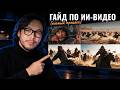
 ~4m15:09
Как Создавать Ультра Реалистичные ИИ Видео - 3 шага (гайд для новчиков)
Oct 28, 2026
Read: ~4m · You save: 11 min
How to Create Ultra-Realistic AI Videos: 3 Levels from Beginner to Director
Turn chaotic AI generation into cinematic video: 3 levels from a simple prompt to storyboarding and editing in CapCut.
The quality of AI video is determined not by the choice of model or a perfect prompt, but by the degree of control over the scene. The author of the material, Kaisar, describes the process of creating a cinematic video in three stages: from simple generation based on a text description to directing with the use of characters, references, and storyboarding. The process is completed by post-production, where the final video is assembled.
Level 1. Generation from a Simple Prompt
Tools and settings:
- Platform: Syntaxis, a neural network aggregator. The subscription includes audio, video, and image generation.
- Section: Video, new session.
- Model: CDance 2.5.
- Resolution: 480p for preliminary prompt testing, which saves credits.
- Aspect ratio: 21:9 instead of 16:9. According to the author, films are shot in this format, and the models were trained on films, so the generations come out about 3–5% more cinematic.
- Duration: 10–12 seconds.
- Audio: enabled.
Prompt: a close-up of an Asian man with Turkic features who is shooting a bow. The camera follows the arrow and shows it hitting an enemy. Then the main character mounts a horse and rides into battle.
The author notes that prompts can be written in Russian.
Result: the arrow flies for about six out of seven seconds. The character's hairstyle at the beginning is not visible. The clip looks cinematic, but the scene is not controlled. The author concludes that the simple prompt method does not allow control over the entire scene.
Level 2. Prompt Processed by an LLM and the Character
Preparing the Prompt
The prompt is passed to an LLM, such as Claude or ChatGPT. Through LM Studio in Syntaxis, you can choose one of these models. The request to the LLM includes the following requirements:
- a prompt for CDance 2.5;
- at least six shots;
- a description of actions by time segments: from 0 to 1 second, from 1 to 3 seconds;
- a single prompt for 20 seconds;
- film grain;
- shooting on an Arri camera, which is used for filming movies.
As a result, the LLM generates a prompt with cinematic techniques: extreme close-up, macro close-up, follow cam locked.
Creating the Character
The character is created in Cdream 5 Pro:
- aspect ratio: 16:9;
- resolution: 2K;
- format: a character sheet divided into two parts.
On the left is a portrait of the author in the image of a Kazakh batyr. On the right is a full-length image in the same clothing. The background is gray. The source material is a selfie. The image is then uploaded to the video model as a reference.
Video Generation
The character is added to the video generation as the main character. To do this, the "@" symbol is used and the uploaded image is selected. The duration is 15 seconds, and the resolution is 480p.
Two videos were created from one prompt:
- First video: the arrow flies unconventionally, first from below, then from above. The scene is perceived as two separate ones. The character's headwear appears in one shot and disappears in another.
- Second video: the author rated the result as successful.
Limitation of the method: the model independently makes decisions about the arrow's trajectory and further actions. The user provides only a general description of the scene and gets a result that depends on chance. Generating several variants consumes credits, so achieving full control requires moving on to the next level.
Level 3. Direction: References and Storyboarding
Visual Reference
The reference is a frame from the film Nomad. The prompt for Cdream 5 Pro was written in Claude and requests a close-up of a Kazakh nomad with a bow. The description includes instructions for grain and an Arri Alexa 65 camera. The model returned a description with film stock and lens characteristics.
The result was cinematic. However, the model also carried over the character's face from the reference. To fix this, the face was replaced with the author's face using Nano Banana 2.1. Creating the image costs about six credits.
Storyboard
Claude created a storyboard of four key scenes:
- The character releases an arrow.
- The arrow flies over the battlefield.
- The arrow hits an enemy; the reaction and drama of the moment are shown.
- The character mounts a horse and rides forward.
Claude wrote a separate short prompt for each scene. Nano Banana 2.1 generated the storyboard image. The image was uploaded to the video model with the tag "storyboard."
Generation was done in 720p.
Results of the two generations:
- First generation: the beginning was successful, with emphasis on the character's hand. Then the arrow hits a person instead of the horses. The author suggests that an intermediate scene with people is needed for consistency.
- Second generation: the author noted a successful shot in which the character mounts the horse and rides into the crowd.
Comparison of Levels
| Parameter | Level 1 | Level 2 | Level 3 |
|---|---|---|---|
| Input data | Text prompt | LLM prompt and character image | Prompt, character, references, and storyboard |
| Scene control | Minimal | Limited | High, for each key frame |
| Dependence on randomness | High | Medium | Low |
| Credit consumption | Low | Medium | High at the preparation stage |
Post-Production
The final video was assembled from two generations. The author selected the best fragments from each and edited them together in CapCut:
- the beginning of the second video, where the arrow is released;
- the flight of the arrow from the second video;
- a wide shot in which the enemies continue to advance;
- a scene in which the character mounts a horse and rides into battle.
The moment the arrow hits is not shown. Instead, the result of the hit is displayed. According to the author's assessment, the final video turned out coherent: a single story was created from two videos with minor artifacts. At the post-production stage, music and effects can also be added.
The author notes that this algorithm is universal and applicable to animated films, cinematic videos, realistic videos, and advertising.
Level 1: Simple Prompt (Beginner)
A simple prompt produces unpredictable results, and there is no control over the scene.
- The Syntaxis neural network aggregator is used: the subscription includes audio, video, and image generation
- The CD 2.5 model is selected, with 480 resolution for prompt testing
- Tip: an aspect ratio of 21x9 instead of 16x9 gives about 3-5% more cinematic results, since the neural network was trained on films
- Duration is 10-12 seconds, with audio enabled
- Prompt: an Asian man of Turkic appearance shoots a bow, the camera follows the arrow, hits an enemy, the main hero rides a horse into battle
- The arrow flies too long: from second 1 to second 7 (6 seconds) only the arrow's flight is visible
- Conclusion: the simple prompt method does not work, the scene cannot be controlled
Level 2: Prompt via LLM and Character
The prompt is improved through an LLM (Claude), with a character and a cinematic style added.
- The prompt is written in Claude with the requirements: at least six shots, description from 0 to 1 second, from 2 to 3 seconds, total duration 20 seconds
- Film grain and an Arri camera (a special camera for shooting films) are added to the prompt
- For the character in SDream 5 Pro (images), a selfie was uploaded and a character sheet was created: a portrait and a full-length figure in a Kazakh batyr costume, gray background, 2K resolution, 16:9 aspect ratio
- In the video generator, the character is added via the @ symbol as "main character" with the uploaded image
- Two videos were generated from one prompt: the first contains an unnatural arrow trajectory and a change of headwear, the second looks more impressive
- Problem: the neural network takes full control of the scene, the author can only hope for a successful result, and spending credits on many variants is not an option
Level 3: Storyboards and References (Professional)
Storyboards and visual references for anchor points are added, which gives control over each scene.
- The reference is taken from the film 'Nomad': a close-up frame of a Kazakh nomad aiming a bow and arrow
- The prompt for the reference was written in Claude; the description specifies Arri Alexa 65 and film stock, image grain
- When the reference was uploaded, the neural network transferred the character's face from the frame, so the author inserted his own face via Nano Banana 2.1 (face swap)
- Generating images costs very few credits: six credits are described as 'pocket change'
- Claude wrote a storyboard of four key scenes: 1) the author releases an arrow, 2) the arrow flies over the battlefield, 3) the arrow hits an enemy, showing drama, 4) the author mounts a horse and rides forward
- A frame is generated in Nano Banana 2.1 for each scene and uploaded as a reference
- The video is generated at 720 resolution, and the storyboard is inserted via @ as 'storyboard'
- Drawbacks: in the middle of the clip the arrow hits a person instead of a horse, and an intermediate scene with people is required
Post-production: editing
The best fragments from two generations are assembled into one coherent video in CapCut.
- The successful opening with the arrow launch is taken from the first video
- The successful arrow flight and the scene where the author rides a horse into the crowd are taken from the second video
- Final scene: instead of the arrow flying to the target, the result of the hit is shown
- Editing is done in CapCut; music and sound effects can be added
- Result: a cohesive narrative was obtained from two videos with artifacts